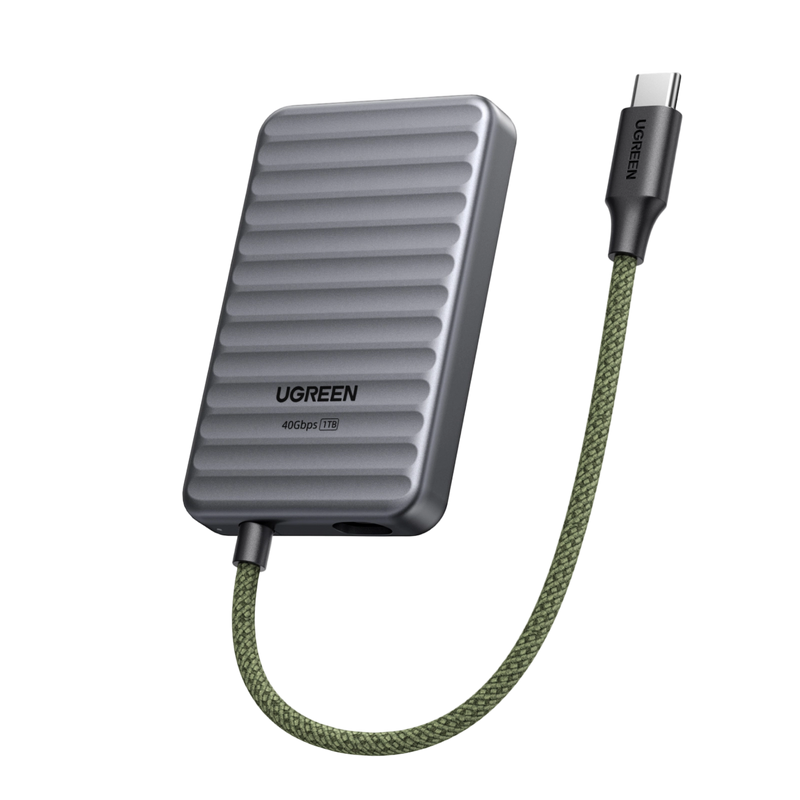
UGREEN NeoDrive Go D710 40 Gbps bärbar SSD (1 TB)
- 1 TB lagring med stor kapacitet
- 40 Gbps höghastighetsöverföring
- Bred kompatibilitet
🎃Halloween Sale : Save Up to 25% OFF
Buy Now🎃Halloween Sale : Save Up to 25% OFF
Orderhantering: Generellt 1–3 arbetsdagar.
Frakt & Leverans: Generellt 3–8 arbetsdagar.
*Observera att tidsfristerna kan förlängas under följande omständigheter:
-Förbeställningar av nya produkter (se produktsidan för mer information)
-Högsäsonger (e.g. , helgdagar, större försäljningskampanjer)
-Våldsamt väder, avlägsna leveransadresser eller störningar hos transportören
*Vänligen kolla in vår Leveranspolicy för mer information.
Vi erbjuder 30 dagars prisgaranti för alla produkter som köps på UGREEN NAS officiella webbplats (nas-eu.ugreen.comOm du hittar samma modell tillgänglig till ett lägre pris på denna webbplats inom 30 dagar efter ditt köp, återbetalar vi mellanskillnaden.
Viktig ansvarsfriskrivning: Denna garanti gäller inte specialerbjudanden (såsom cashback, bonusar eller paketerbjudanden), föråldrade eller begagnade varor, priser som erbjuds av tredje part eller obehöriga distributionskanaler.
Vi garanterar denna produkt med 2 års garanti mot tillverkningsfel. Vi täcker alla fel som orsakas av material- eller utförandefel vid normal användning. Observera att oavsiktlig skada eller felaktig skötsel inte täcks.
*Vänligen kolla in vår Garantipolicy för mer information.
Du kan returnera ditt köp för full återbetalning eller byte inom 30 dagar efter att du mottagit produkten. Beroende på produktens tillgänglighet kan varor bytas mot en vara av samma värde. Observera att varorna måste vara oanvända och returneras i originalförpackning med alla tillbehör.
*Vänligen kolla in vår Returpolicy för mer information.
Total:
€0,00
Take a quick quiz for personalized storage recommendations.

Product Comparison
Find your perfect NAS with a side-by-side comparison.
Promotions
Check out our latest deals and exclusive offers.
Support
Still have questions?
Network-attached storage (NAS) is a dedicated file storage solution that connects to a local area network (LAN), allowing multiple users and devices to access and share files seamlessly. It combines hardware and software with protocols like NFS, SMB, or AFP to enable centralized file sharing. NAS devices, which can be scaled up by adding more storage drives, often support redundant storage configurations like RAID for data integrity. Managed through a browser-based utility, NAS systems provide fast, secure, and reliable storage services, making them ideal for both home and enterprise environments where efficient file sharing and data management are crucial. Read more: What is NAS Storage?
NAS devices connect to your network via Ethernet or Wi-Fi, creating a local area network (LAN). They use file-sharing protocols like NFS and SMB/CIFS to allow multiple users to access stored data simultaneously. See more: How Does NAS Work?
No. UGREEN NASync systems are sold as diskless NAS devices. HDDs and SSDs are not included and must be purchased separately.
The maximum storage figure shown for each NAS describes the capacity supported by its SATA and, where applicable, M.2 drive slots. It does not describe storage included in the box.
Yes. UGREEN NASync supports compatible third-party drives from manufacturers including Western Digital, Seagate, and Toshiba. However, compatibility depends on the exact NAS model and drive model number.
UGREEN recommends NAS-rated CMR drives for always-on storage and RAID workloads. Before purchasing a drive, verify its model number in the UGREEN NAS Compatibility List.
For a home Plex server, choose your NAS based on how you watch videos:
To get started: Install Docker through the UGOS App Center, deploy Plex, and map your media folders to the container. Follow our step-by-step Plex NAS setup guide for detailed instructions.
Top apps include Plex for streaming, Docker for virtualization, and Syncthing for backups. PhotoPrism and NextCloud add photo/organization tools.
Most home NAS units use 15-30W under load, varying by drive count and CPU efficiency. Use ENERGY STAR-rated models or SSDs to cut costs. Calculate your NAS energy use here.
No. RAID can keep a storage pool available after certain drive failures, but it does not protect against accidental deletion, ransomware, file corruption, theft, fire, or failure of the complete NAS.
Important data should follow the 3-2-1 principle: maintain three copies, use two different storage media, and keep one copy off-site.
UGREEN NAS does support mixing drives of different capacities. However, we strongly recommend against using drives of varying sizes within the same RAID array.
Standard RAID configurations generally calculate usable capacity using the smallest drive in the array. For example, combining an 8TB drive and a 16TB drive in RAID 1 normally provides approximately 8TB of usable capacity, leaving the additional capacity on the larger drive unused.
No.
Yes. The UGREEN NAS mobile application supports automatic photo and video backup from iOS and Android devices. UGOS also provides file synchronization and backup tools, while Mac users can configure the NAS as a Time Machine destination. For the setup steps, see our step-by-step Time Machine setup guide. Windows computers can access shared storage through SMB and the UGREEN NAS client.
No. UGREENlink is designed to provide remote browser and application access without requiring a public IP address or manual router port forwarding.
DDNS is different: it normally requires a publicly reachable connection and router configuration. Tailscale is another alternative, but it requires Docker support and additional setup.
Minimize NAS noise by placing it on vibration-dampening pads, using low-RPM HDDs (e.g., WD Red Pro), and ensuring proper ventilation. Silent fan modes and SSD upgrades also help. See our step-by-step quieting guide.